
Hex Code Finder
Find the hex code of any colour three ways: pick it with the colour picker, type a name or value such as “teal”, rgb(255, 99, 71) or hsl(200 60% 40%), or upload an image and click the exact pixel you want. You get the hex code, RGB, HSL and CMYK, the nearest named CSS colour, contrast against white and black, and a strip of tints and shades — all calculated in your browser.
- Free to use
- No sign-up
- Runs in your browser
Quick answer
Use this hex code finder to identify a color from a picker, a typed CSS name or RGB/HSL value, or a clicked pixel in an uploaded image. It returns the hex code plus RGB, HSL, approximate CMYK, nearest CSS color name, white/black contrast ratios, and copyable tints and shades. Images stay in your browser.
Hex code finder
Click a swatch to copy its hex code.
Colour Palette Toolkit
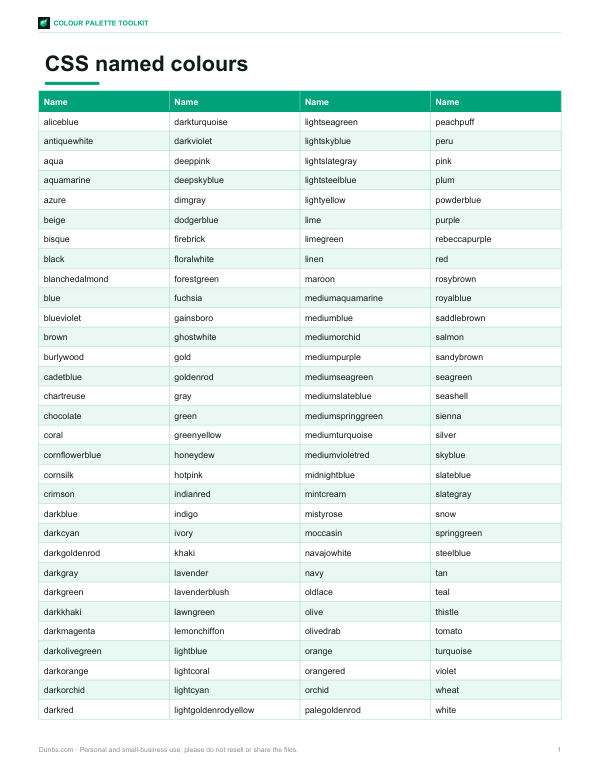
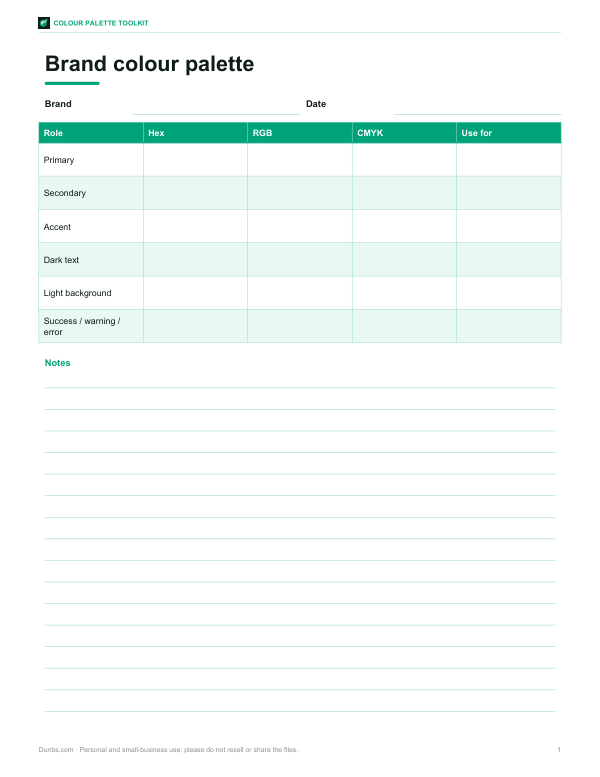
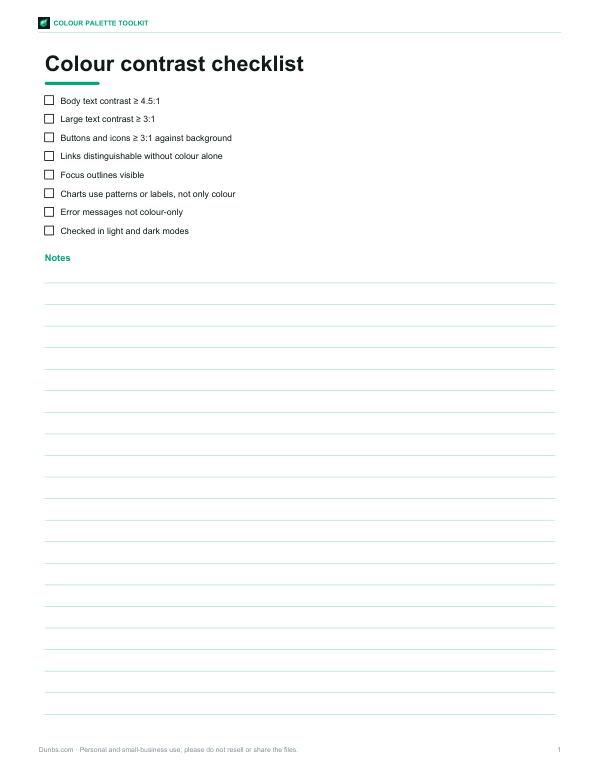
Printable CSS named colours chart with hex codes, a brand colour palette worksheet, a WCAG contrast checklist and an Excel palette builder that converts hex to RGB.
- Named colours chart (PDF/XLSX)
- Palette worksheet (DOCX/PDF)
- Contrast checklist (PDF, DOCX)
- Palette builder (XLSX)
Formats: PDF, XLSX, DOCX. Instant download after payment (link valid 72 hours, up to 5 downloads). AI-assisted: the templates were drafted with AI help and reviewed and laid out before publishing.
$3.00 USD, one-time 4 files · about $0.75 each
- Instant download
- 7-day refund
- Secure checkout by Stripe
7-day money-back guarantee. Full refund within 7 days of purchase, even after you download.
Free sample: Brand Palette Worksheet (PDF, 99 KB)
Full refund within 7 days — see the refund policy and license.
Free printables
Single sheets you can print right now, no sign-up. The full pack adds every sheet in one download plus the editable files.
What the hex finder accepts
Use any of these common color inputs to find or confirm a hex code.
| Input type | Example | Result shown | Best use |
|---|---|---|---|
| Color picker | Drag picker | Hex, RGB, HSL | Choosing a new color |
| CSS color name | tomato | #FF6347 | Quick web colors |
| RGB value | rgb(42, 157, 143) | #2A9D8F | Converting screen values |
| HSL value | hsl(173 58% 39%) | #2A9D8F | Adjusting hue or lightness |
| Image pixel | Click a logo pixel | Exact pixel hex | Matching an existing image |
| Short hex | #F64 | #FF6644 | Expanding CSS shorthand |
What a hex code is
A hex code is a six-digit hexadecimal number that describes a colour on screens. It is written with a hash sign, like #2A9D8F, and made of three pairs: red (2A), green (9D) and blue (8F). Each pair ranges from 00 (none) to FF (full intensity, 255 in decimal), giving 256 × 256 × 256 = 16,777,216 possible colours. Hex codes are used in HTML and CSS, design tools, brand guidelines, presentation software and almost anywhere colours are specified for screens.
Three ways to find a hex code
- Colour picker — drag to the colour you want; the hex code and other values appear instantly.
- Type a colour — enter any CSS colour: a name like “tomato”, a hex code (#ff6347 or the short form #f64), rgb(255 99 71), or hsl(9 100% 64%).
- From an image — upload a photo, logo or screenshot and click the exact pixel. Great for matching a brand colour from a logo or a paint colour from a photo. The image never leaves your device.
Colour formats explained
| Format | Example | Used for |
|---|---|---|
| Hex | #2A9D8F | Web, CSS, design tools |
| RGB | rgb(42, 157, 143) | Screens, CSS, programming |
| HSL | hsl(173, 58%, 39%) | Adjusting lightness or saturation easily |
| CMYK | 73%, 0%, 9%, 38% | Print (approximate conversion) |
| CSS name | teal, tomato, royalblue | Quick prototypes; 140+ names |
CMYK values here are a simple mathematical conversion. Real print colours depend on the printer, ink and paper, so use your printer’s colour profile or Pantone guides for print-critical work.
Reading hex codes at a glance
With practice you can estimate a colour from its hex code. Equal pairs, like #777777, are greys. A high first pair with low others (#E03A2F) is reddish; high middle pair means green; high last pair means blue. Two high pairs mix: red + green = yellow (#FFD700), green + blue = cyan (#00CED1), red + blue = magenta (#C71585). Values near FF are light; near 00 are dark. Short three-digit codes double each digit: #F64 is #FF6644.
Contrast and accessibility
Text must stand out from its background to be readable. The Web Content Accessibility Guidelines (WCAG) define a contrast ratio from 1:1 (no contrast) to 21:1 (black on white). Level AA requires at least 4.5:1 for normal text and 3:1 for large text (about 18.66 px bold or 24 px regular). The finder shows the ratio of your colour against white and black text, so you can choose which to use on buttons, banners and backgrounds.
Tints and shades
The strip under the results mixes your colour with white (tints) and black (shades) in 20% steps. Designers use these to build a consistent palette from one brand colour: lighter tints for backgrounds and hover states, darker shades for text and borders. Click any swatch to copy its hex code.
Worked example: matching a logo colour
A small business owner needs the exact green in their logo for a new website. They upload the logo PNG, click the middle of the green leaf and get #2A9D8F. The finder shows rgb(42, 157, 143), hsl(173, 58%, 39%), nearest CSS name “lightseagreen” (not exact), and a contrast of about 3.3:1 with white — enough for large headings but not body text, so they use a darker shade from the strip for text links. Tip: click a flat area of colour rather than an edge, where anti-aliasing blends colours.
Nearest named colour
CSS defines about 140 colour names, from aliceblue to yellowgreen. The finder converts your colour and each named colour to the CIELAB colour space, which is designed to match human perception, and picks the name with the smallest difference (ΔE). A ΔE under about 2 is hard to tell apart; above 10 the colours are clearly different. Names are handy for quick prototypes, but most designs use exact hex codes.
Tips for colour picking from photos
- Photos contain many slightly different pixels; click several spots and pick the most representative.
- Lighting changes colours — a white wall in shade may read as blue-grey.
- JPEG compression adds noise; PNG screenshots give cleaner colours.
- Screens display colours differently; calibrate your display for colour-critical work.
Hex codes in code and design tools
In CSS, write hex codes with a hash: color: #2a9d8f;. Eight-digit hex codes add transparency — #2A9D8F80 is the same colour at about 50% opacity. Design apps such as Figma, Photoshop and Canva accept hex codes in their colour fields, usually without the hash. Spreadsheet and presentation apps may need RGB values instead, which the finder shows alongside.
Privacy
Everything happens in your browser. Images you open are not uploaded, and colours are not stored.
Frequently asked questions
What is a color number finder?
A color number finder identifies numeric color values such as hex, RGB, HSL, and approximate CMYK. Hex is the most common number format for web colors.
Can I use the hex finder for website colors?
Yes. Copy the hex code with the hash sign, such as #2A9D8F, and use it in CSS, HTML, design tools, or brand guidelines.
Does hex search work with CSS color names?
Yes. Type a standard CSS color name such as teal, tomato, or royalblue to see its hex code and related color values.
How do I find the hex code of a colour in an image?
Upload the image and click the pixel; the hex code appears instantly.
What does a hex code mean?
Three pairs of hexadecimal digits for red, green and blue, from 00 to FF.
How do I convert RGB to hex?
Convert each value (0–255) to two hex digits; the finder does it automatically.
Is CMYK conversion accurate for print?
It is approximate; use printer profiles or Pantone guides for exact print colours.
What contrast ratio do I need for text?
At least 4.5:1 for normal text under WCAG AA.
What is the difference between hex and RGB?
They describe the same colour: hex writes the red, green and blue values in base 16, RGB in decimal from 0 to 255.
Can I use a colour name instead of a hex code?
Yes, CSS accepts about 140 names such as teal or tomato, but hex codes let you choose any of 16.7 million colours.
Are my images uploaded?
No, they are processed locally in your browser.